The Nulaxy 18" Height Telescopic 360 Rotating Aluminum Laptop Stand Desk review is for people who want to bring a laptop screen higher, change its angle, and turn it toward someone else without moving the whole setup.
Its wide height range and swiveling base suit flexible desk work, while the maker recommends using an external keyboard and mouse for typing.
Nulaxy LS18 Review Summary
The quick verdict
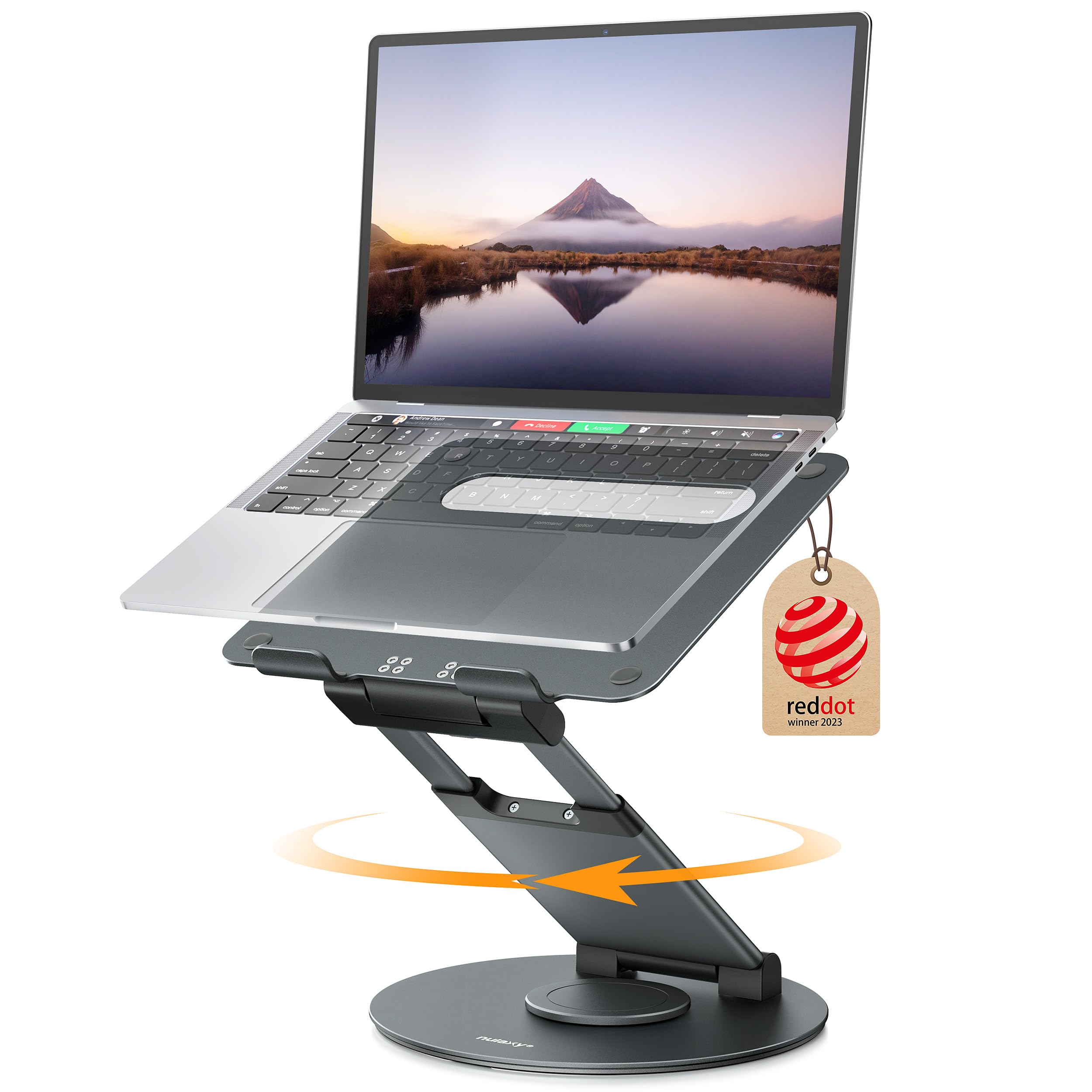
3,000+ ratings
Read Amazon ReviewsNulaxy LS18 Laptop Stand
A fit for desk users who want a tall, rotating laptop stand for seated or standing work and screen sharing.
- Telescopic height adjustment reaches up to 18 inches for a raised screen position.
- The platform angle can be adjusted to change the screen's viewing tilt.
- A 360-degree rotating base allows the display to face different directions.
- Supports laptops and tablets up to 17 inches, with examples including MacBook, Dell, HP, Chromebook, Surface, ASUS, Acer, and Samsung devices.

Pros
- A tall adjustment range can accommodate more than one working height.
- Rotation is useful for showing a screen to a colleague or collaborator.
Consider before buying
- Direct typing on the raised laptop may feel wobbly; a separate keyboard and mouse are recommended.
- At four pounds, it is more substantial to carry than a compact travel riser.
Read the full review summary
The LS18 combines telescopic height adjustment up to 18 inches, adjustable tilt, and full 360-degree rotation in a foldable aluminum and silicone stand.
It is designed for laptops and tablets up to 17 inches, with a stated support limit of 22 pounds. That range makes it adaptable for different desk positions and collaborative use, rather than a simple fixed riser.
Consider it if your routine alternates between seated and standing work, or if you often need to share a screen across a desk or room.
The design is less suited to someone who expects to type directly on the raised laptop: Nulaxy recommends a separate keyboard and mouse because typing may make the laptop feel wobbly.
The buying factors
Nulaxy LS18 Scorecard
Editorial scores reflect listed features and buyer fit; they are not laboratory measurements or customer ratings.
Height flexibility
The stand adjusts up to 18 inches, giving it useful range for seated and standing desk positions.
Viewing adjustment
Adjustable tilt and 360-degree rotation let users change the viewing angle and direction.
Screen sharing
A rotating base makes turning the display toward another person a central use case.
Device compatibility
The stand is described for laptops and tablets up to 17 inches, with several common laptop families named.
Typing convenience
The guidance to use an external keyboard and mouse is a practical limitation for laptop-only setups.
Portability and storage
The stand folds, though its four-pound weight is worth considering if it will be carried often.
Key Features and Specifications of Nulaxy LS18
- Telescopic height adjustment reaches up to 18 inches for a raised screen position.
- The platform angle can be adjusted to change the screen's viewing tilt.
- A 360-degree rotating base allows the display to face different directions.
- Supports laptops and tablets up to 17 inches, with examples including MacBook, Dell, HP, Chromebook, Surface, ASUS, Acer, and Samsung devices.
- The aluminum and silicone construction is listed with a support capacity of up to 22 pounds.
- Foldable design and a four-pound listed weight support occasional storage or relocation.
- The maker recommends removing the device before adjusting height or angle and suggests an external keyboard and mouse for typing.
Pros and Cons of Nulaxy LS18
Pros
- A tall adjustment range can accommodate more than one working height.
- Rotation is useful for showing a screen to a colleague or collaborator.
- Tilt adjustment helps tailor the display angle to the desk and user.
- Broad stated compatibility covers laptops and tablets up to 17 inches.
Consider before buying
- Direct typing on the raised laptop may feel wobbly; a separate keyboard and mouse are recommended.
- At four pounds, it is more substantial to carry than a compact travel riser.
- The stand should be unloaded before height or angle adjustments, adding a step when repositioning.
Who Should Buy Nulaxy LS18?
Good fit
Choose the Nulaxy LS18 if you want a single stand to support both seated and standing work at a desk.
Its telescopic height adjustment can raise the screen substantially, and the tilt control gives you another way to tune the viewing position.
The 360-degree base is especially useful when your laptop serves as a shared display during discussions or calls.
It also makes sense for a flexible home or campus workspace where the stand may need to fold away between uses.
Check your device's size against the stated 17-inch limit, and consider whether the stand's four-pound weight fits your plans if you expect to move it regularly.
For comfortable typing, plan on a separate keyboard and mouse. That setup lets the stand prioritize screen height without requiring you to reach up to the laptop's built-in keyboard.
Who should skip it
Skip this design if your priority is typing directly on the laptop keyboard while it is raised. The product guidance itself recommends an external keyboard and mouse because typing can make the laptop wobbly.
It may also be a poor match if you need a very lightweight stand for frequent travel or want to adjust its height while the laptop remains on the platform.
The listed weight is four pounds, and the device should be removed before adjusting height or tilt.
How the Nulaxy LS18 Fits a Flexible Desk
Height range for changing work positions
An adjustment range up to 18 inches gives the LS18 more scope than a low fixed riser. That can help users bring the display to a more comfortable viewing height while changing between seated and standing positions.
The right setting depends on the desk and user's posture, so buyers should check that the stand's placement works with their keyboard, mouse, and available desk space.
Rotation makes the screen easier to share
The 360-degree base addresses a practical desk task: turning the display toward a person across the room or desk. It can be useful during collaborative work without requiring the whole stand to be repositioned.
This feature matters most when the laptop display is shared often; for a screen that always faces one person, the height and tilt controls are likely more relevant.
Typing is a separate part of the setup
Raising the laptop can improve its screen position, but it also raises the built-in keyboard. Nulaxy recommends an external keyboard and mouse, and notes that typing directly on the laptop may feel wobbly.
Buyers should account for the extra peripherals and desk area if they plan to use the stand as a primary workstation.
Safe, deliberate adjustments
The product guidance says to remove the laptop or tablet before changing height or angle. That makes repositioning a two-step task: clear the platform, adjust the stand, then replace the device.
If you frequently change positions during a work session, consider whether that routine fits how you use your desk.
Alternatives to Nulaxy LS18
Laptop Stands alternative
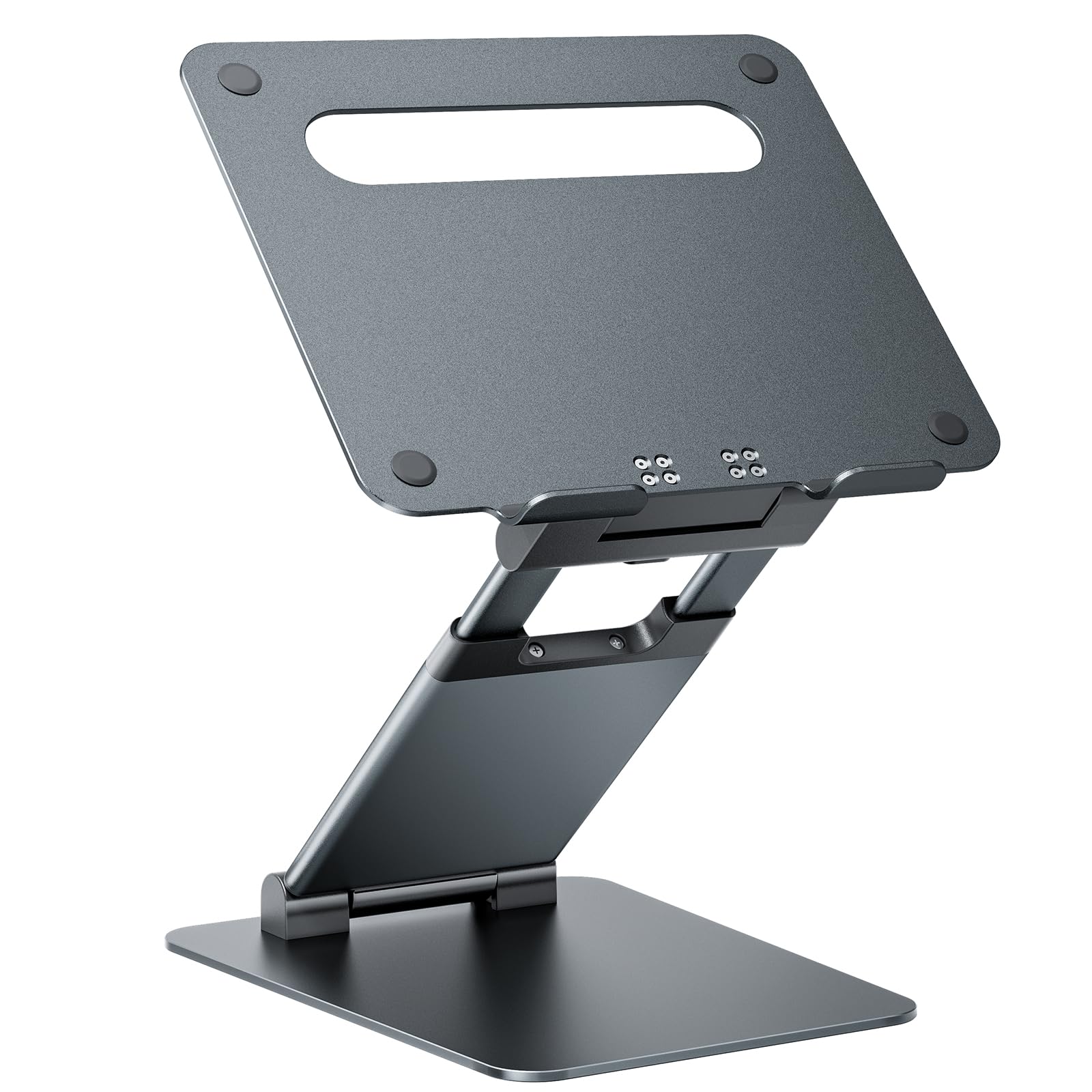
8,000+ ratings
Read Amazon ReviewsNulaxy C5 Pull-Out Height Adjustable Laptop Stand
Consider the C5 if a slightly higher stated maximum and a pull-handle height adjustment matter more than screen rotation. Choose the LS18 if turning the laptop toward other people is part of your routine.
- The C5 is described as adjusting from 1.2 to 20 inches with a pull handle, supports laptops from 10 to 17 inches, and folds for compact storage.
- It has tilt adjustment but no rotation feature listed.
- The LS18 reaches up to 18 inches and adds a 360-degree rotating base, with tilt adjustment for viewing.
Laptop Stands alternative
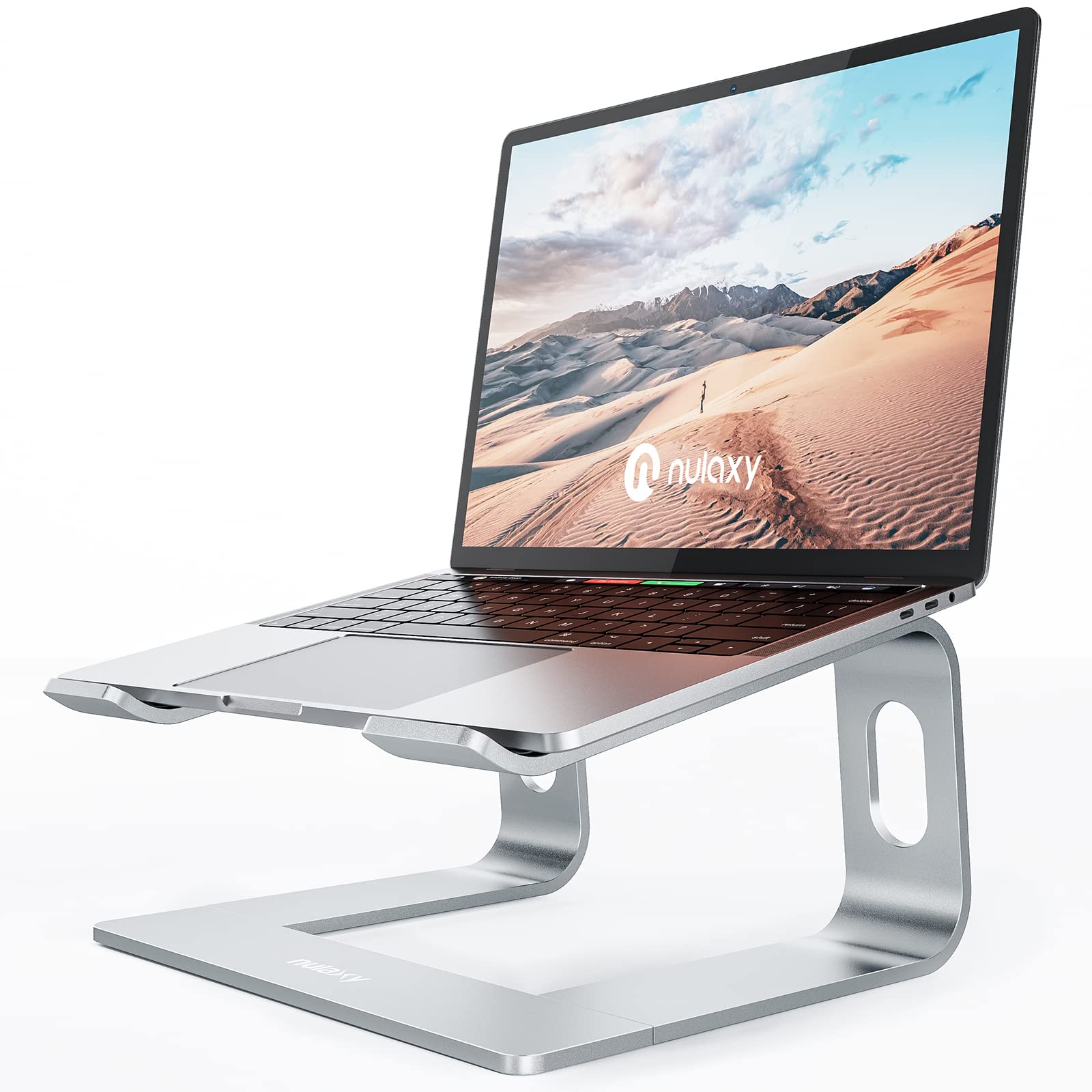
36,000+ ratings
Read Amazon ReviewsNulaxy C3 Full Aluminum Laptop Stand
The C3 is a more suitable fit if you want a lower, detachable riser for a fixed desk position and your laptop is 16 inches or smaller.
The LS18 better matches a need for much more height adjustment and a rotating display.
- The C3 is a detachable aluminum riser for laptops from 10 to 16 inches that raises the screen up to six inches.
- Its three-part design can be disassembled for storage, and it has an open design intended to support ventilation.
- The LS18 is a tall, folding stand for devices up to 17 inches, designed for changing working height and sharing the screen.
Is Nulaxy LS18 Worth It?
The Nulaxy LS18 is worth considering if your desk routine benefits from a tall, angle-adjustable display that can rotate toward other people.
Its 18-inch maximum height and broad stated device range make it flexible for changing work positions, while its foldable design allows it to be stored between uses.
Buy it with the expectation of using an external keyboard and mouse for typing, and account for the four-pound weight and device-removal step when adjusting it.
If those tradeoffs fit your setup, the LS18 offers a useful blend of height, tilt, and screen-sharing flexibility.
Your review at a glance
3,000+ ratings
Read Amazon ReviewsNulaxy LS18 Laptop Stand
A fit for desk users who want a tall, rotating laptop stand for seated or standing work and screen sharing.
- Telescopic height adjustment reaches up to 18 inches for a raised screen position.
- The platform angle can be adjusted to change the screen's viewing tilt.
- A 360-degree rotating base allows the display to face different directions.
- Supports laptops and tablets up to 17 inches, with examples including MacBook, Dell, HP, Chromebook, Surface, ASUS, Acer, and Samsung devices.